Save ChatGPT conversations.
Put them to work.
Export to PDF, Markdown, DOCX, and JSON. Keep your code, tables, and math intact — right in your browser.
- Processed locally
- No conversation upload
- No account needed for free export
One conversation. Four useful formats.
Same conversation. Choose a format to see the result.
ChatGPT to PDF
Create polished PDFs with readable code blocks, LaTeX math, and templates for review or sharing.
Sample content · Exported with ChatShell v1.0.0.24
Download samplePDF guide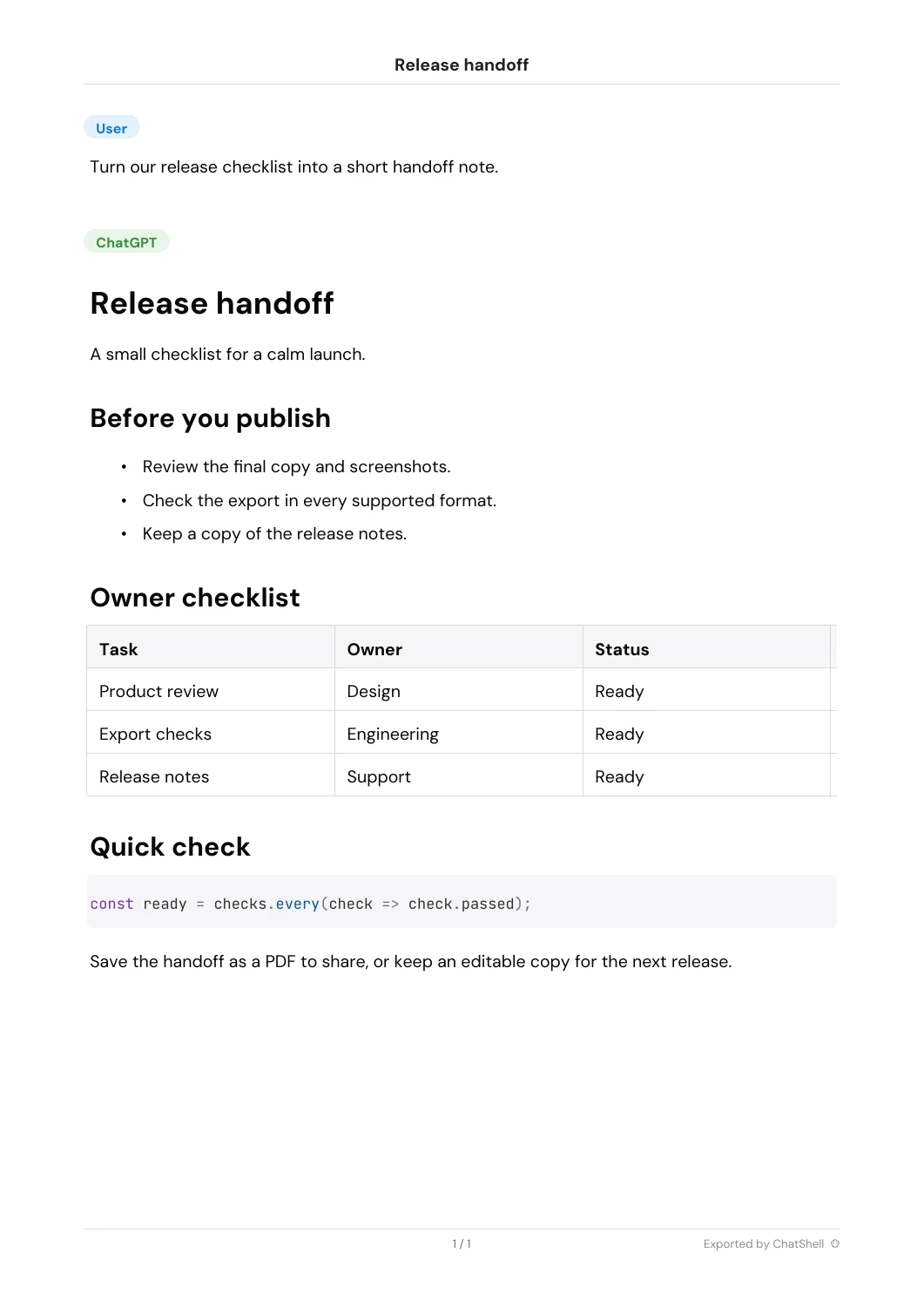
ChatGPT to Markdown
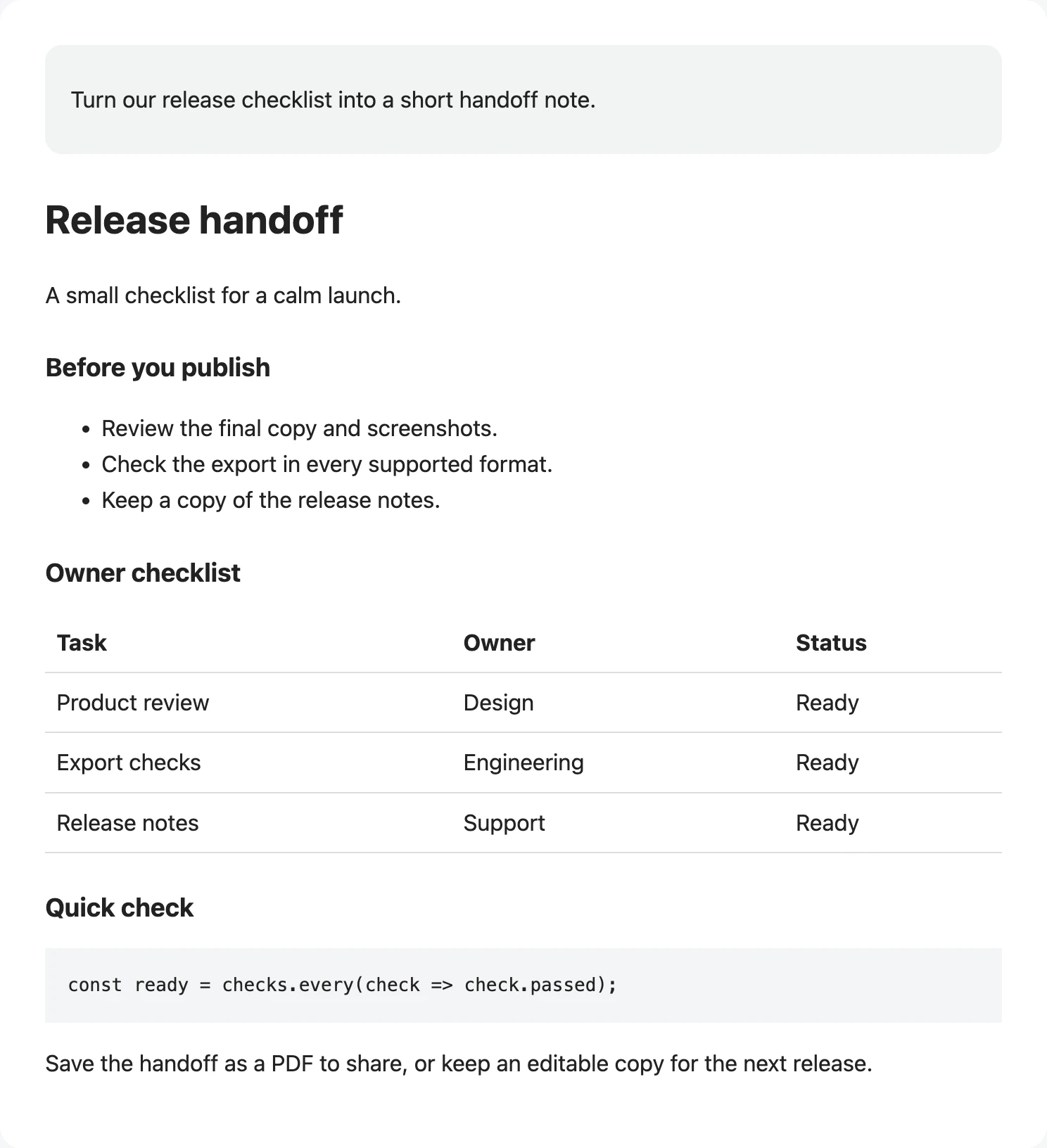
Save clean Markdown for notes, documentation, and version-controlled knowledge bases.
Sample content · Exported with ChatShell v1.0.0.24
Download sampleMarkdown guide**🔵User**
Turn our release checklist into a short handoff note.
---
**🟢ChatGPT**
# Release handoff
A small checklist for a calm launch.
## Before you publish
* Review the final copy and screenshots.
* Check the export in every supported format.
* Keep a copy of the release notes.
## Owner checklist
| Task | Owner | Status |
| --- | --- | --- |
| Product review | Design | Ready |
| Export checks | Engineering | Ready |
| Release notes | Support | Ready |
## Quick check
```
const ready = checks.every(check => check.passed);
```
Save the handoff as a PDF to share, or keep an editable copy for the next release.
---
*Exported by ChatShell*
ChatGPT to DOCX
Turn conversations into editable Word documents for briefs, reports, and client handoffs.
Sample content · Exported with ChatShell v1.0.0.24
Download sampleDOCX guide[User]
Turn our release checklist into a short handoff note.
[ChatGPT]
Release handoff
A small checklist for a calm launch.
Before you publish
Review the final copy and screenshots.
Check the export in every supported format.
Keep a copy of the release notes.
Owner checklist
| Task | Owner | Status |
| Product review | Design | Ready |
| Export checks | Engineering | Ready |
| Release notes | Support | Ready |
Quick check
const ready = checks.every(check => check.passed);
Save the handoff as a PDF to share, or keep an editable copy for the next release.
Exported by ChatShell
ChatGPT to JSON
Preserve structured conversation data for backups, analysis, and downstream automation.
Sample content · Exported with ChatShell v1.0.0.24
Download sampleJSON guide{
"title": "Release handoff",
"mapping": {
"user": {
"id": "user",
"parent": null,
"children": [
"assistant"
],
"message": {
"author": {
"role": "user"
},
"content": {
"content_type": "text",
"parts": [
"Turn our release checklist into a short handoff note."
]
}
}
},
"assistant": {
"id": "assistant",
"parent": "user",
"children": [],
"message": {
"author": {
"role": "assistant"
},
"content": {
"content_type": "text",
"parts": [
"# Release handoff\n\nA small checklist for a calm launch.\n\n## Before you publish\n\n* Review the final copy and screenshots.\n* Check the export in every supported format.\n* Keep a copy of the release notes.\n\n## Owner checklist\n\n| Task | Owner | Status |\n| --- | --- | --- |\n| Product review | Design | Ready |\n| Export checks | Engineering | Ready |\n| Release notes | Support | Ready |\n\n## Quick check\n\n```\nconst ready = checks.every(check => check.passed);\n```\n\nSave the handoff as a PDF to share, or keep an editable copy for the next release.\n\n---\n\n\n\n*Exported by ChatShell*"
]
}
}
}
},
"current_node": "assistant"
}From a good answer to a useful file.
Click a step to inspect the actual interface. Nothing moves until you choose.

Start free. Export more when you need to.
Free
- ✓ PDF / MD / DOCX / JSON
- 3 PDF/month, 5 others total/month
- ✗ With watermark
- ✗ Batch export & Team space
Recommended
Standard
- ✓ Unlimited exports · No watermark
- ✓ Timestamps & Remove separators
- ✗ Batch export & Team space
- Card and billing details are required at checkout, even when the first month is $0.
- Taxes may be added at checkout depending on your country.
- Payments are handled by Creem.
- Payment trouble? Email billing@chatshellexport.com
A few things worth knowing.
All conversation data is saved only in your local browser. We cannot access, view, or store any of your data.
All Chromium-based browsers are supported, such as Chrome, Edge, Brave, Arc, etc.
Single chat: PDF, Markdown, DOCX, JSON. Batch export: HTML, Markdown, DOCX, JSON.
ChatShell only uses the storage permission to save preferences and license info. It runs on chatgpt.com and contacts our license server for activation/validation.
ChatShell has moved from the browser print flow to its bundled PDF engine, generating PDF files directly in your browser. To render Chinese text, math symbols, and other scripts, the extension may load font files from approved CDN sources.
ChatShell now includes the Classic template and the Vellum template. Classic keeps the layout closer to the original ChatGPT conversation with higher information density, which is better for backup, review, and preserving context. Vellum uses a softer, more spacious layout for long-form reading, knowledge notes, and sharing.
Make your next conversation a keeper.
Save the answers you want to come back to. Start free on Chrome or Edge.
support@chatshellexport.com